
Short answer: Yes. Slow website annoying visitors, hurt their SEO, and carry a heavy carbon footprint.
About a month ago, I updated this very website to a new setup that I’ll probably write more in depth about soon. Early during production, I ran it through a speed test and nearly choked on my tea. Some pages took about 5 seconds to load (they fortunately don’t anymore!).
Doesn’t sound like a lot? I don’t blame you for never really thinking about speed. You check your site on your fast home internet and recent laptop. And it looks fine, I’m sure. But meanwhile, one of your potential customers is sitting on a train right now, browsing your site on a spotty 3G connection from their refurbished tablet, and…you’re serving them a miserable experience. That’s when they close the tab and never come back.
If you’re running any kind of website — whether it’s a portfolio, an ecommerce, a coaching platform, or a reason to showcase your restaurant — and your pages take a while to load, it’s not a good sign. Here’s why.
1. You’re losing visitors
As the king of web usability once said, “people do not go to a website to admire it, but to get something done.” Which explains why Google’s research shows that 53% of mobile users abandon sites that take longer than 3 seconds to load [1].
Picture this: you’re running a small business selling hardware parts online. Your website, that your marketing person built on Wix three years ago, has all those nice animations and galleries the template came with. But it’s so slow that people get fed up with trying to find what they came for. They’d rather just pick up the phone and call you directly, which is often a waste of time (unless it’s an intentional touchpoint). Or worse, they just go somewhere else instead.
And then there’s the competition, McMaster-Carr. They’re an industrial supply company that sells nuts, bolts, bearings, welding gloves, you name it. Virtually anything an engineer, machinist, and fabricator needs to build stuff. For these customers time is money, and efficiency is everything. Which is why the McMC website is designed entirely around speed: it’s blindingly quick to load and everything you need is waiting for you (not the other way around).
See what’s going on?
The McMaster-Carr website certainly has “a look” that won’t win design awards, but its snappiness gives users what they need, keeps them shopping, and likely reduces complaints and calls to customer service.
If your audience can find what they’re looking for quickly and easily, you’re killing two birds with one stone: you’ll reduce friction in their journey to working/buying with you, and you’ll also keep them coming back.
2. Google prefers faster websites
If you’ve been relying on templated websites or website builders that spit out gigantic pages no matter what (there’s a famous one that starts with an S), you might not know that Google has been using page speed as a ranking factor. Since 2010!
The idea is simple, if your page is sluggish, fewer people will find it through search.
In 2021, they made speed even more of a focus with Core Web Vitals [3]. You don’t worry about the technical details for now. Just know that Google now measures whether your site loads fast, responds quickly when clicked, and doesn’t jump around while loading. If you’re curious about the specifics, Google’s developer docs explain it all.
Google Search still prioritizes relevant content over speed [4]. But when there’s heaps of similar content out there, and there usually is, the faster sites show up first.
Need proof?
In 2023, Adobe improved its page speed from 7.2 seconds to 3.4 seconds and the visit rate from engaged users increased by 35%. Bounce rates decreased by 6%, and the average time spent on page increased by 21% for mobile visitors.
3. The internet consumes a lot of electricity
Beyond SEO and user experience, speed also affects energy consumption.
The internet produces about 3-4% of global carbon emissions, roughly the same as the airline industry. Your website contributes to this. Every time someone visits your site, servers wake up, data travels through miles of undersea cables, and devices use energy to display your content. “Globally, the average web page produces approximately 0.36 grams CO2 equivalent per pageview. For a website with 10,000 monthly page views, that’s 43 kg CO2e per year.” — Website Carbon Calculator
But let’s not forget context. The concept of a website footprint is borrowed from that of an individual’s “carbon footprint”, which was popularised by BP in the early 2000s. That’s a fossil fuel giant who invented a convenient metric in their attempt to shift the blame onto consumers. That said, the majority of the internet’s environmental impact today comes from data centres, cryptocurrency mining, and the AI boom. Your portfolio website with a contact form and a few case studies, put into perspective, is a rounding error.
But what’s interesting is that the stuff that makes a website hungry for energy — think large images, excessive scripts, unnecessary requests to servers — are the exact same things that make it slow and frustrating to use. So if you’re already optimising for speed and user experience—which you should be—you get the environmental benefit for free, sort of. For all that matters, it’s less about shouldering responsibility that belongs elsewhere and more about recognising that fast websites and lower energy consumption happen to be on the same side of the coin.
How to check how fast your website is
The easiest way to stop guessing is to test your site, right now. These free tools take minutes to show you actionable results, and you’ll see exactly where you stand:
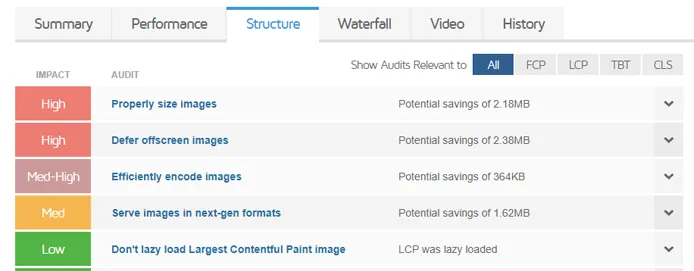
If you’re scoring below 75/100 or “B” on page speed metrics, don’t panic. You’re in good company, most sites built with website builders, or that haven’t been optimised at all, score poorly.
Here’s what you can do.
This is how switched gear and made everything faster
After seeing my test results from months ago, I made some changes. Bear in mind that the needs of your website might be different from mine, and these are simply the things that made a difference for me:
I had a wonderful full-resolution image as the background of my footer. It was 2MB when it could have been 200KB. Before I eventually got rid of it altogether, I switched from PNG to WebP (a better-compressed format) and implemented lazy loading. This alone cut my load time by a third.
These days, I use as few images as possible, and when I need them, I upload them to Cloudinary before linking them back to my code. Cloudinary is a tool that dynamically optimizes image quality, file size, and format based on the browser of who’s accessing your site, and it does it without code.
I’m a typography snob. I love custom fonts. But they’re costly, and not just to my wallet. Each takes milliseconds to load, and together that adds up. I packed light, switching to using just one versatile font — Ronzino — delivered as WOFF2, a modern compressed format. I also pre-loaded it so it would be available sooner, and I used CSS to control how it renders. The result? Text now appears immediately instead of flashing or shifting around.
I wanted all the fancy features of a modern website (what is a modern website anyway?). The tooltips, the slide-in calendar widgets, the parallax effects, the gorgeous animations. They’re all reliant on JavaScript code, and while one or two alone don’t hurt, altogether they slow you down. A LOT.
It took me weeks to come to terms with the sacrifices needed, but once I did, I removed everything that wasn’t essential: pop-ups, embedded iframes, and all but one analytics tracker. It also turned out that much of this JavaScript was a band-aid for problems that I should’ve solved with better UX, more accessible navigation, and tighter copy.
When is a website fast enough?
Bad performance frustrates users, drains their data plans, and consumes battery life. When I redesigned my website, I wanted my visitors to have none of these problems.
Currently, the homepage at francescoimola.com, which is also the longest page on the website, gets a 100% score on Google Page Speed Insights across board. That for both performance, accessibility, best practices and SEO.
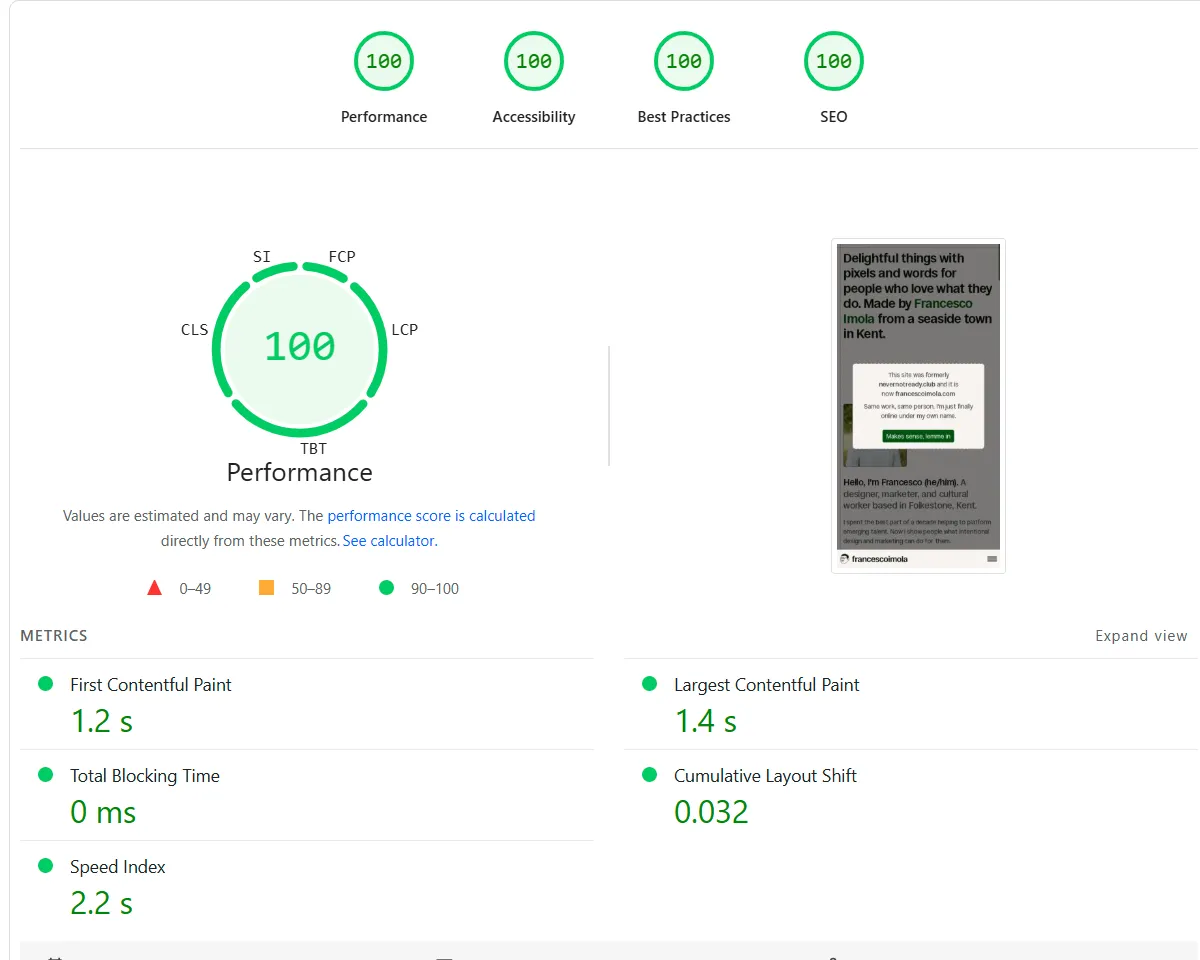
It scores a respectable B from the Website Carbon Calculator, which I could probably improve by moving to a verified green host, something that’s on my to-do list for 2026.
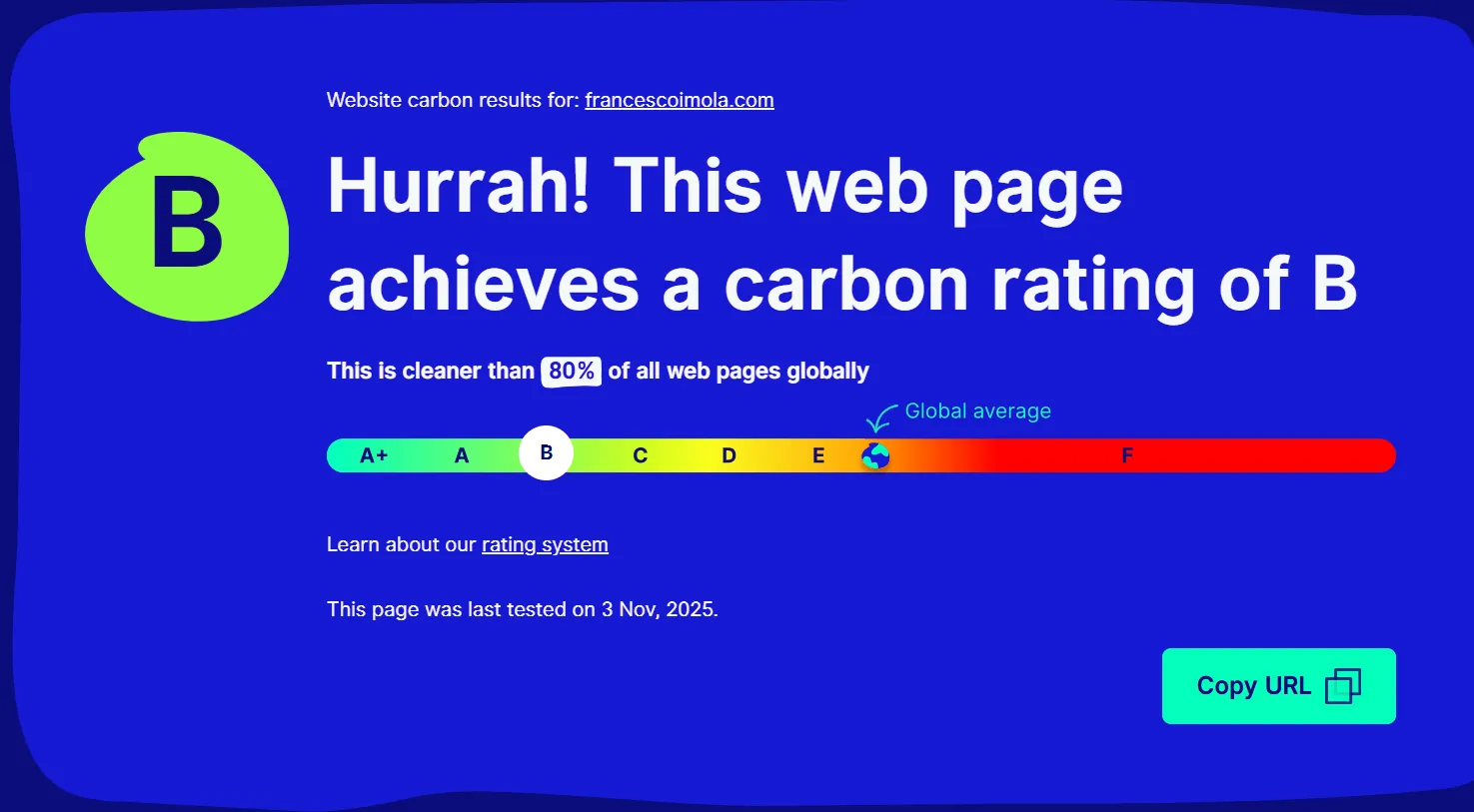
I’m not going to lie, I had to go through some big changes to achieve these scores. These affected both the site architecture and its front-end.
For one, the website now looks way more stripped back than your usual award-winning agency site. There are no background videos, no scroll-jacking, zero modern carousel, and absolutely not one single transition. Just text and optimized images on a clean background. It’s interactive and engaging still, but it’s a different experience. I love how it looks and I love how fast it is.
This is my website, after all. I built it from static code and I’m in charge of everything. But in reality, outside of the walls of the laptop I call my workspace, getting and keeping a top score in page speed for any website isn’t always realistic.
I could do it myself because I’m my own client. I picked my goals and gave myself all the time necessary to achieve them. When I build new sites from scratch for others, I always aim for a 100% score at site launch, but there’s so much at stake! You just don’t have control over everything. Even I as as a web designer can only do so much to influence how someone’s entire business operates and what part their website plays in it.
Lastly — and this is one of the most overlooked aspects of this conversation — websites aren’t one-and-done projects. They’re living organisms that if they seem big now, they’ll need even more room to grow as needs evolve. And, as we all know, with growth comes unnecessary baggage.
It’s inevitable that sooner or later, you and I will see pages slowing down.
That’s why it’s always a good idea to continuously monitor and iterate. Because when you give a website all the care and attention it needs, it’ll stay high-performing four years in (almost) like it did on day one.
Where to learn more
This blog post is just scratching the surface. If I got you curious to learn more about page speed, that’s already amazing.
For more information, check out these in-depth resources:
Footnotes
1: Why does speed matter? | web.dev
2: What is Website Speed and Why it Matters? | BrowserStack
3: Understanding page experience in Google Search results
4: What aspects of page experience are used in ranking?
5: Explained: Generative AI’s environmental impact | MIT News
Be the first to hear about new posts, projects & experiments
Very occasional emails but always worth reading. Your inbox is literally drooling at the idea.
You agree to receive updates and consent to the Privacy Notice.